Discomfort Zone and Arch Linux - Omarchy OS
Introduction: College and Linux
Linux entered my life back in college, when I realized that running C programs in Dev-C++ wasn’t going to get me anywhere.
Until then, my experiments always stayed within the Debian ecosystem: safe, simple, and with minimal headaches.
But last weekend, I randomly decided to jump into Omarchy, a more "user-friendly" distro based on Arch. Why? It had some cool screensavers, and honestly, that was the only reason.
My first contact with the infamous tiling window managers (something essential in Omarchy) didn’t go well. I gave up quickly after realizing I was spending way more time configuring things than actually using the system. So the fact that Omarchy comes somewhat pre-packaged weighed in on my decision to give it another try.
In this post, I’ll share some of my first impressions.
Day 0: The drama begins
Even before using the distro, chaos started when trying to boot the OS from an installation media:
- I tried downloading the Omarchy ISO several times, but it always failed midway or got corrupted.
- When I finally managed to download it, the ISO wouldn’t mount on Balena Etcher.
- Result: I had to grab an old PC running Windows (I was on Ubuntu) and flash the USB using Rufus.
Also, in version 3.0.1, trying to install the OS with an ABNT keyboard layout broke everything.
- I temporarily gave up and on day 1 set the keyboard layout manually via config files.
Day 1: Wi-Fi, keyboard, and chaos
- Connecting to Wi-Fi was a mild headache. The TUI Impala that manages networks required me to check GitHub just to discover that the
Tabkey switches between devices and networks. - Bluetooth headphones: connected. But I was already anxious just thinking about my second monitor still unplugged.
- ABNT keyboard: nothing worked properly. But I managed to switch from the US layout to BR ABNT2.
- Monitors: plug & play, a miracle.
- Installing essential tools, some came preinstalled, others I added myself:
- Obsidian
- DBeaver (via pacman)
- OBS
- VSCode (via AUR. I wanted to force myself into Neovim, but that’d be suicide)
- Docker
- NVM (via AUR)
- Bruno HTTP, Postman’s cousin from the countryside (via AUR)
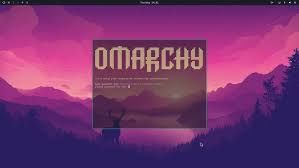
Oh, and I found a “bug”: windows had slight transparency, and when I was watching a movie I couldn’t understand why I could faintly see my deer wallpaper behind the image... A quick tweak in lookandfeel.conf fixed it.
Day 2: Testing the workflow
- Understanding Hyprland’s workspaces is a bit tricky. You can’t minimize windows the concept of minimizing doesn’t exist in tiling window managers so keeping a stable workflow was challenging.
- I installed VSCode because Neovim was just impossible.
Days 3–5: Slow adaptation
- The keyboard bug persists, but I’m getting more comfortable with multiple screens.
- Slowly, Omarchy is becoming more than “just pretty”, it’s starting to feel functional, and bizarrely fast.
Conclusion: First impressions
The first week was full of small battles: Wi-Fi, Bluetooth, keyboard, workspaces. Nothing major, but enough to make me understand why people say Arch isn’t an operating system: it’s a lifestyle.
I’m still far from being fully comfortable, but I plan to stick around for a while and explore more.
It’s actually kind of fun.
If you want to take the risk, head over to omarchy.org